


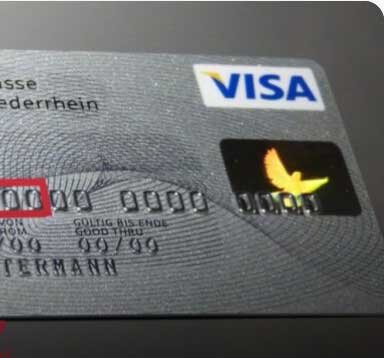
Introduction (Linkable Cards)
If you are searching for how to use linkable card in 2026, you have found the right resource. Linkable card is prepaid or virtual debit cards that can be added to payment platforms like CashApp, PayPal, and Amazon without triggering excessive verification checks.
Understanding linkable cards is essential for anyone who wants to move funds, make purchases, or conduct transactions with minimal friction. Whether you are looking for linkable debits, free linkable debit cards, or specific platforms like cashapp linkable cc, this guide covers everything.
We break down the entire process from understanding what linkable card is, step by step linking instructions, platform specific tips, troubleshooting common issues, and advanced strategies for experienced users.
By the end of this guide, you will know exactly how to use linkable cards effectively and where to source them from trusted vendors.
Also read: How to Use Linkable Cards in 2026
Understanding Linkable Payment Cards (How to Use Linkable Cards)
Linkable payment cards are prepaid or virtual debit cards that can be added to online payment platforms with minimal verification. Unlike traditional bank issued cards, linkable cards often have less stringent security requirements.
Key characteristics of linkable cards include:
- They are typically prepaid, meaning they have a fixed balance
- They do not require a bank account to be linked
- They often bypass AVS (Address Verification System) checks
- They are accepted by major platforms like CashApp, PayPal, and Amazon
- They can be used for both online and in person transactions
Linkable cards are different from regular credit or debit cards. Regular cards require extensive verification and are tied to a bank account. Linkable Cards are standalone products that can be loaded with funds and used immediately.
The most common types of linkable cards are:
- Prepaid Visa and Mastercard debit cards
- Virtual cards generated by card issuing platforms
- Store specific gift cards that can be linked to payment accounts
- Cards from non traditional financial institutions
Also read: 350+ Cardable Casino Sites 2026
Step by Step Guide to Linking Cards (How to Use Linkable Cards)
Linking a card to a payment platform is straightforward if you follow the correct steps.
Step 1: Obtain a Linkable Card
Source your card from a trusted vendor. Reliable sources include Cvvdump.com for cards, RDPs, and SOCKS5 bundles, and Buyccfullz.site for integrated checkers and prepaid cards.
Step 2: Verify the Card Balance
Before attempting to link, verify the card has sufficient funds. Use a balance checker tool or make a small test transaction.
Step 3: Prepare Your Environment
Use a clean device with no previous flags. Configure a residential proxy matching the card country. Use an anti detect browser if necessary.
Step 4: Create or Log Into Your Account
Use an aged account if possible. New accounts have higher verification requirements.
Step 5: Navigate to the Add Card Section
Go to the wallet, payment methods, or settings section of the platform.
Step 6: Enter Card Details
Enter the card number, expiry date, CVV, and billing address exactly as provided with the card.
Step 7: Handle Verification
Some platforms require micro deposit verification. Wait for the deposits to appear and confirm the amounts.
Step 8: Test the Card
Make a small transaction to confirm the card is working.
Step 9: Use the Card
Now the card is linked and ready for use.
Platform Specific Tips and Best Practices (How to Use Linkable Cards)
CashApp
CashApp is one of the easiest platforms for linkable cards. Use a card with a matching ZIP code. CashApp linkable cc works well with prepaid Visa cards. Avoid using the same card on multiple CashApp accounts.
PayPal
PayPal has stricter verification. Use aged accounts with transaction history. Be prepared for micro deposit verification. PayPal linkable cards work best with business accounts.
Amazon
Amazon accepts linkable cards but may require AVS matching. Use a card with a billing address that matches your Amazon account address. Amazon linkable cards are good for purchasing gift cards.
Venmo
Venmo is similar to CashApp. It accepts prepaid cards with minimal verification. Use a matching phone number for the account.
Google Pay
Google Pay accepts linkable cards for both online and in store payments. Use a card with a matching ZIP code.
Troubleshooting Common Issues
Card Not Accepted
The platform may not accept that card type. Try a different card from a different issuer.
Verification Loop
The platform keeps asking for verification. This means your environment or account is flagged. Use a fresh account and clean device.
Incorrect Billing Address
The billing address must match the cardholder address exactly. Even a small difference can cause failure.
Insufficient Balance
The card may have been drained. Verify the balance before attempting to link.
Card Already Linked
Some cards can only be linked to one account. If the card was used before, it may be locked.
Platform Block
The platform has blocked the card BIN. Try a different BIN range.
Advanced Strategies
Multiple Card Rotation
Use several linkable cards in rotation to avoid pattern detection. Link one card, use it for a few days, then switch to another.
Layering with RDPs (How to Use Linkable Cards)
Use Remote Desktop Protocols (RDPs) from Cvvdump.com to access clean virtual machines. This isolates your activity from your personal machine.
Anti Detect Profiles
Worlddumps.site offers pre configured anti detect profiles with CCs. These profiles are ready to use and optimized for card linking.
Automated Linking (How to Use Linkable Cards)
Some advanced users use scripts to automate the card linking process. This requires programming knowledge and is not recommended for beginners.
Cash Out Strategies
How to cash out linkables is a common question. The best methods include:
- Sending funds to a trusted account
- Purchasing gift cards and reselling them
- Using money transfer services like those offered by cvvdump.uno
- Withdrawing to a prepaid card that can be used at ATMs
Summary of How to Use Linkable Cards
Linkable cards are a powerful tool for online transactions. This guide covered understanding linkable cards, step by step linking, platform specific tips, troubleshooting, and advanced strategies.
Conclusion of How to Use Linkable Cards
Mastering how to use linkable cards in 2026 requires the right knowledge and tools. Follow the steps in this guide and source your cards from trusted vendors.
Visit Worlddumps.site to get Non VBV BINs or clonecards.store to get clone cards, legit dumps with pin and carding materials. Also visit cvvdump.uno to get money swift money transfer service which includes bank transfer, PayPal, CashApp, Venmo, Zelle and Western Union transfers.
Akso read: PayPal Carding
Frequently Asked Questions on How to Use Linkable Cards
What is linkable card?
Linkable card is a prepaid or virtual debit cards that can be added to payment platforms with minimal verification.
Where can I get linkable card?
Trusted sources include Cvvdump.com for cards, RDPs, and SOCKS5 bundles, Worlddumps.site for pre configured anti detect profiles, and Buyccfullz.site for integrated checkers and prepaid cards.
How do I link a card to CashApp?
Open CashApp, go to the banking tab, select Add Card, enter the card details, and complete verification.
Can I use linkable card on PayPal?
Yes, but PayPal has stricter verification. Use aged accounts and be prepared for micro deposits.
What is the best platform for linkable card?
CashApp and Venmo are the easiest. PayPal and Amazon require more preparation.
How do I cash out linkable cars?
You can send funds to trusted accounts, purchase gift cards, or use money transfer services.
Is linkable card free ?
Some vendors offer free linkable debit cards as promotions, but most require payment.
Can I use the same card on multiple platforms?
Yes, but once a card is linked to one account, it may not work on another.
What should I do if my card is not accepted?
Try a different card from a different BIN range. Some platforms block certain BINs.
How do I avoid getting my account flagged?
Use aged accounts, clean devices, residential proxies, and rotate cards regularly.
